2020 · Magento development · In progress
fcontainer
A command-line tool that builds and runs Docker environments for Magento development, with no hand-written docker-compose.
- Role
- Design and development
- Period
- Jun 2020 — present
- Stack
- Docker · Magento 2 · Node.js · SQLite
- Team
- Solo
The problem
Every Magento store needs its own mix of versions: PHP, database, Elasticsearch, Redis, RabbitMQ. Writing and maintaining a docker-compose file for each one by hand takes time and invites mistakes.
fcontainer registers each store as a project and generates its environment from a catalog of services.
Outside the store repository
It was made to be used from any folder on the system without cluttering the Magento repository. add takes the store's path and registers it under the folder's name; from then on, up, down, exec and logs find the project by name, wherever they are called from.
Everything it generates lives in ~/.fcontainer: each project's docker-compose, the Nginx, PHP and Xdebug configuration, and the database data. The store folder is only mounted inside the container. The repository gets no docker-compose.yml, no Dockerfile and no configuration file: nothing to add to .gitignore or to slip into a commit, and the same store can be opened without fcontainer by someone who does not use it.
The commands
Called with no arguments, it lists what it can do. The path for a new store is init, once, for the configuration, add to register the project, interactively or with defaults in a single command, and up to start it. The everyday commands have a one-letter alias, and messages come out in Portuguese or English. The screens below are in Portuguese.
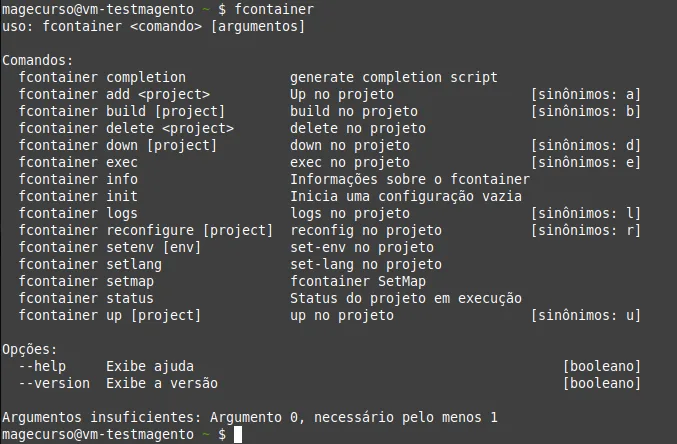
fcontainer init
fcontainer add -u ~/stores/store123
fcontainer up store123
fcontainer exec -s php
Registering a store
add, or just a, takes the store's path, relative to the current folder or absolute: in the image, fcontainer a Documentos/ was called from the home folder. It suggests the project name from the folder and asks for the stack, one service at a time: the Magento version, the web server, Varnish, PHP and the rest. With -u, it keeps the defaults and asks nothing.

Starting a store
Without a project name, up asks which one to start, in a list you move through with the arrow keys. One project runs at a time: with another one up, up says so and starts nothing.

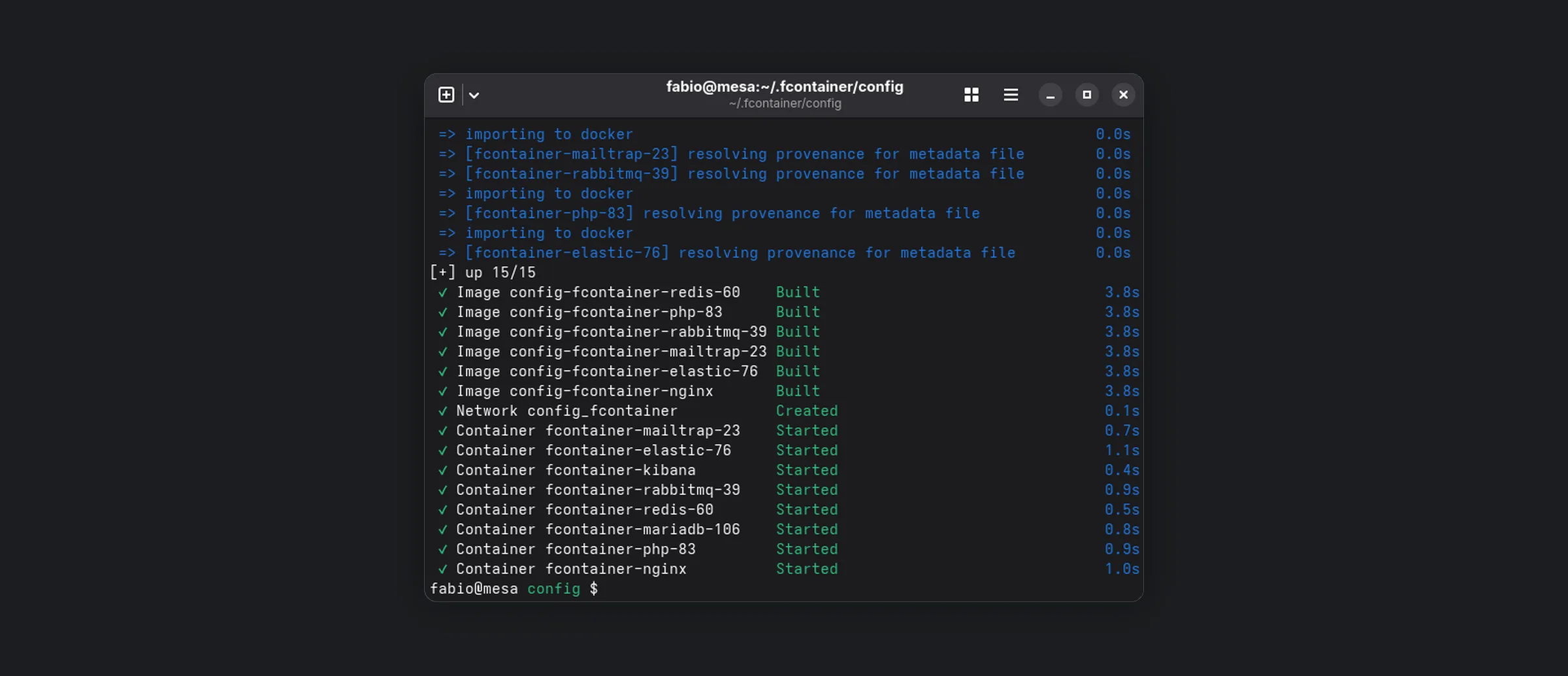
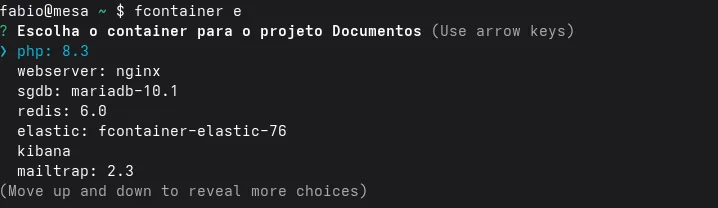
From there it is Docker, running in ~/.fcontainer/config and not in the store folder: the project's images are built and the containers start, as in the image at the top, with PHP 8.3, Nginx, MariaDB 10.6, Redis 6.0, Elasticsearch 7.6 with Kibana, RabbitMQ 3.9 and email capture. exec opens a shell in a service, logs shows its output and down stops everything. Without -s, exec asks which container to enter, with the version of each of the project's services.
The catalog
The catalog has PHP-FPM from 5.5 to 8.3, MariaDB and MySQL in several versions, Nginx or Apache with SSL, Varnish, Redis, Elasticsearch, Kibana, RabbitMQ and email capture. The containers come ready for daily work: the user has the host's UID and GID, n98-magerun is already installed and Xdebug is the right one for each PHP version.
An experimental magic command reads the store's composer.json and asks Gemini for a compatible stack.
How it is built
Node.js, with yargs and inquirer for the command line and SQLite to store projects and settings. The Dockerfiles and the Nginx, Apache and Varnish configurations are its own. Written by hand since 2020 and still in use: the latest change to the catalog is from 2025.
0
files written to the store repository: the whole environment lives in ~/.fcontainer
31
images in the service catalog
11
PHP versions, from 5.5 to 8.3